
A User "Verified They Were Human" and Now PowerShell Is Talking to an IP in Bulgaria
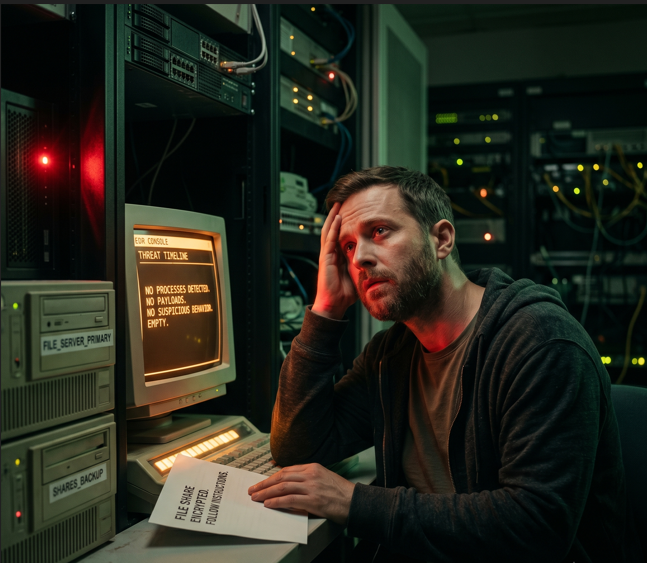
The alert that fires, if one fires at all, is a PowerShell process reaching out to an external IP. You pull the process tree. PowerShell's parent isn't a browser, isn't Office, isn't a scheduled task. It's explorer.exe. You check the user's story: they were trying to access a document, hit a Cloudflare verification page, and the page told them to press Win+R, paste, and hit Enter to "prove they weren't a bot." They did exactly that. No exploit fired. No attachment opened. No macro ran. The user pasted a command into the Run dialog and executed it with their own credentials, and your EDR watched a trusted Windows process do something a user is fully allowed to do.
This is ClickFix, and Microsoft identified it as the number one initial access method of 2025, responsible for roughly 47% of observed attacks. Telemetry from multiple vendors tracked a 517% surge in the first half of 2025, and the volume has not let up. Menlo Labs documented a polymorphic ClickFix campaign that began around March 25, 2026 and spiked hard through late April and May, still climbing as of this writing.
The reason ClickFix works is also the reason it's hard to detect: there's no vulnerability involved. The attack lives entirely in the gap between what a user is permitted to do and what they should do. That makes signature-based and exploit-based detection close to useless. What's left is behavioral detection, and the behavior has a few very specific fingerprints. The best of them is a registry key most analysts have never looked at.
Track SOC & SIEM like this every Monday.
Every Monday, the 5 threats SOC teams can't afford to miss — with analyst commentary.
The RunMRU Key Is the Single Most Reliable ClickFix Artifact
When a user types or pastes a command into the Windows Run dialog (Win+R) and presses Enter, Windows records that command. The location is HKCU\Software\Microsoft\Windows\CurrentVersion\Explorer\RunMRU. Microsoft's own incident response guidance confirms it: the value written to this key is the literal content pasted into the Run dialog, which makes it the highest-fidelity indicator available for ClickFix detection and response.
Pull the RunMRU values from a suspected host and you often see the entire attack chain in cleartext, including the social engineering wrapper the operators left in. Real-world entries have contained the malicious powershell, mshta, or cmd command followed by the fake reassurance text the page displayed, things like a checkmark emoji and "I am not a robot - reCAPTCHA" appended to the command so the victim sees familiar verification language in the Run box. When you find a RunMRU entry containing an interpreter or a LOLBin alongside a URL, an encoded blob, or a fake CAPTCHA string, you are looking at confirmed ClickFix execution.
In Microsoft Defender for Endpoint, the hunt is straightforward:
DeviceRegistryEvents
| where RegistryKey has @"\Explorer\RunMRU"
| where RegistryValueData has_any ("powershell", "mshta", "cmd", "curl", "certutil", "finger", "msiexec", "conhost")
    or RegistryValueData has_any ("http", "://", "-enc", "FromBase64", "IEX", "Invoke-")
| project Timestamp, DeviceName, InitiatingProcessAccountName,
          RegistryValueName, RegistryValueData
| order by Timestamp desc
The Sysmon equivalent is Event ID 13 (RegistryValue Set) where the TargetObject contains the RunMRU path. CrowdStrike Falcon logs the same registry value changes. The detection transfers across stacks because the artifact is a Windows feature, not a vendor capability.
Two limitations matter, and you should know them before you rely on this. RunMRU stores no per-entry timestamps natively (the key's last-write time gives you a single timestamp for the most recent change, not a history). And only successfully launched, manually entered Run commands get recorded; if the attacker's command is malformed and fails, or if execution happens through a path that doesn't touch the Run dialog, you get nothing. Treat RunMRU as the strongest single signal, not the only one. The Atos threat hunting team found a March 2026 ClickFix variant that slipped past Microsoft Defender for Endpoint entirely and was caught only because they were hunting RunMRU writes from explorer.exe directly, which brings us to the second fingerprint.
Why explorer.exe as a Parent Process Is the Tell
The Run dialog is hosted by the Windows shell. Anything executed through it inherits explorer.exe as its parent process. This is the structural fingerprint of ClickFix on the endpoint, and it's more durable than any payload indicator because it's a property of the delivery mechanism rather than the malware.
Huntress documented the canonical chain. ClickFix execution starts with explorer.exe, which spawns conhost.exe with the --headless argument used to proxy a cmd.exe execution, frequently followed by curl.exe retrieving and running a secondary payload. Variations swap in powershell.exe, mshta.exe, certutil.exe, or other LOLBins as the immediate child, but the root stays the same. A shell or scripting interpreter whose parent is explorer.exe, executed interactively, is abnormal in almost every environment. Users don't normally launch PowerShell from the Run box to fetch and execute remote code.
In MDE, the process-lineage hunt looks like this:
DeviceProcessEvents
| where InitiatingProcessFileName =~ "explorer.exe"
| where FileName in~ ("powershell.exe", "pwsh.exe", "cmd.exe", "mshta.exe",
                      "conhost.exe", "certutil.exe", "curl.exe", "msiexec.exe",
                      "wscript.exe", "cscript.exe", "finger.exe")
| where ProcessCommandLine has_any ("http", "://", "-enc", "-e ", "FromBase64String",
                                    "IEX", "Invoke-Expression", "DownloadString",
                                    "net use", "\\\\")
| project Timestamp, DeviceName, AccountName, FileName,
          ProcessCommandLine, InitiatingProcessFileName
| order by Timestamp desc
The Sysmon version keys on Event ID 1 (Process Create) with ParentImage ending in explorer.exe and Image matching the interpreter set. Pair the process-lineage detection with the RunMRU detection and you have two independent confirmations of the same event, which dramatically cuts false positives. A legitimate admin might occasionally launch cmd from Run, but they're not pasting a base64 blob or a curl | iex cradle.
Command-line length is a useful enrichment here. ClickFix payloads pasted into the Run dialog tend to be long, obfuscated one-liners. Analysts who have stacked ClickFix command-line data find the average length sits well above what users type by hand. A detection that flags explorer.exe-parented interpreters with command lines over a few hundred characters, or containing encoding markers, surfaces these reliably.
The 2026 Variants That Break Older Detections
If your ClickFix detection only looks for powershell.exe spawned from explorer.exe, the 2026 variants will walk past it. The technique has branched into a family, and operators pick vector and execution path independently. Here's how the active variants differ on the endpoint.
| Variant | Execution path | What changes for detection |
|---|---|---|
| Classic ClickFix | Win+R → paste → powershell/mshta |
explorer.exe parent, RunMRU populated |
| TerminalFix | Win+X then I → Windows Terminal → manual PowerShell paste | Single interactive PowerShell process, minimal telemetry, no conhost proxy chain |
| FileFix | File Explorer address bar → command execution | explorer.exe parent, address-bar artifact rather than Run dialog |
| WebDAV variant | Win+R → net use mounts remote WebDAV share → batch from mapped drive |
No direct interpreter invocation; abuses native net.exe, drive mapped then removed |
| Finger variant | finger.exe retrieves CharCode blob, ROT-decoded in memory |
Legacy protocol abuse, in-memory decode, transient artifacts |
| DNS variant | nslookup against attacker DNS, parses Name: field, executes |
Bypasses URL/domain blocking; payload arrives via DNS response |
The TerminalFix variant deserves attention because it produces so little telemetry. Since the user manually opens Windows Terminal (via Win+X then I) and pastes the command into an interactive session, you don't get the explorer.exe → conhost --headless → cmd → curl chain. You get a single PowerShell process and very little else, because interactive PowerShell generates sparse process telemetry. Detection here leans almost entirely on PowerShell Script Block Logging and network telemetry rather than process lineage.
The WebDAV variant from Atos is a deliberate move away from monitored interpreters. Instead of invoking PowerShell or mshta, it uses net use to mount an attacker WebDAV share as a local drive, executes a hosted batch file (update.cmd in the observed case) through normal filesystem semantics, then removes the mapping. This sidesteps detections built around interpreter invocation entirely. The signal shifts to net use commands mounting external WebDAV resources from an explorer.exe-rooted context, and to \\-prefixed UNC paths or WebDAV drive letters appearing in RunMRU.
The DNS variant Microsoft disclosed in February 2026 is the nastiest from a network-blocking standpoint. The pasted command runs nslookup against a hard-coded attacker-controlled DNS server, parses the Name: field of the response, and executes that content as the second stage. Because the payload arrives inside a DNS answer rather than over HTTP, URL filtering and domain blocklists never see it. The detection pivot is outbound DNS to non-corporate resolvers: any endpoint querying an external DNS server that isn't your sanctioned resolver, especially from a PowerShell or nslookup process, is the signal.
Why Server-Side Polymorphism Killed Hash-Based Detection
The Menlo Labs campaign that surged through spring 2026 added server-side polymorphism, and it's worth understanding why this defeats an entire detection category. Each time a victim's browser requests the ClickFix payload, the server generates a fresh variant. The structure, the strings, and the XOR keys (one observed key was RoSvbP) change on every download. No two victims receive the same bytes.
This means file hashes are worthless as blocking indicators. A YARA rule keyed to a specific sample catches that sample and nothing else, because the next download is structurally different while functionally identical. The same problem applies to IOC-based blocking of the payload stage. The infrastructure rotates, the hashes rotate, the obfuscation rotates.
What doesn't rotate is the behavior. Regardless of which polymorphic variant the server hands over, the goal is the same: stealthy, in-memory execution that pulls a second stage and runs an infostealer (StealC, Lumma, and Amatera have all been observed) or a RAT. The execution still routes through the Run dialog or terminal, still populates RunMRU, still produces an interpreter child of explorer.exe, still makes an outbound connection. Behavioral detection survives polymorphism precisely because it targets the parts of the attack the operators can't easily change without breaking the technique.
There's a recon wrinkle the KongTuke campaign added that's useful to know. Before detonating, the decoded loader checks the environment against an array of analyst tooling, looking for names like Wireshark, Procmon, Process Hacker, x64dbg, OllyDbg, IDA, Ghidra, Fiddler, Sysmon, and VM indicators. If you're detonating ClickFix samples in a sandbox for analysis, expect the newer loaders to notice and abort. This is also why automated sandbox detonation often comes back clean on the HTML stage; the page renders, but the malicious command sits in the clipboard-staging JavaScript and never gets extracted or executed by the sandbox, which doesn't simulate a human pressing Win+R.
How to Detect ClickFix Across the Stack
Single-layer detection is the wrong model for ClickFix because the variants deliberately move between layers. The durable approach combines four telemetry sources, and the overlap between them is where confidence comes from.
Registry is the forensic anchor. RunMRU writes containing interpreters, LOLBins, URLs, encoding markers, or fake-CAPTCHA strings, captured via DeviceRegistryEvents (MDE), Sysmon Event ID 13, or Falcon registry telemetry. This is your post-execution confirmation and your triage starting point.
Process lineage is the behavioral core. Interpreters and LOLBins parented by explorer.exe, with command lines showing download cradles, encoding, or net use to remote shares. This catches the classic, FileFix, and WebDAV variants at execution time.
PowerShell logging is what saves you on the low-telemetry variants. Enable Script Block Logging (Event ID 4104 in Microsoft-Windows-PowerShell/Operational) and Module Logging across the fleet. For TerminalFix and any interactive-paste variant where process lineage is thin, the script block log is often the only place the deobfuscated payload appears. Hunt 4104 events for DownloadString, IEX, FromBase64String, Invoke-WebRequest to raw IPs, and the long obfuscated blobs characteristic of these loaders.
Network telemetry catches the variants that evade the host signals. PowerShell or LOLBins making outbound connections to raw IPs, nslookup traffic to non-corporate DNS resolvers (the DNS variant), and connections to known fake-CAPTCHA landing infrastructure. Proxy and DNS logs are where the DNS variant becomes visible at all, since it produces almost nothing useful on the host beyond the nslookup invocation itself.
A Sigma-style behavioral rule covering the registry anchor reads roughly:
title: ClickFix Execution via RunMRU Registry Key
status: experimental
logsource:
  category: registry_set
  product: windows
detection:
  selection_key:
    TargetObject|contains: '\Explorer\RunMRU'
  selection_value:
    Details|contains:
      - 'powershell'
      - 'mshta'
      - 'cmd /c'
      - 'curl'
      - 'certutil'
      - 'finger'
      - 'net use'
      - 'FromBase64'
      - 'IEX'
      - '\\\\'
  condition: selection_key and selection_value
falsepositives:
  - Administrators manually launching tools via the Run dialog
level: high
Tune the value list to your environment and expect to add terms as variants evolve. The finger, net use, and nslookup entries exist because of the 2026 variants specifically; a rule written in 2024 wouldn't have them, and that gap is exactly how the WebDAV and DNS variants slipped past older detections.
What Actually Reduces ClickFix Risk
Detection catches what gets through. Reducing the volume that gets through is a separate problem, and the controls split between the technical and the human, with the human side mattering more than usual here because the entire attack hinges on a user action.
On the technical side, the highest-leverage control most organizations skip is restricting or removing the Run dialog and constraining what interpreters can do when invoked interactively. PowerShell Constrained Language Mode limits the most useful payload techniques. Windows Defender Application Control or AppLocker policies that block interpreters and LOLBins from executing in unexpected contexts raise the cost considerably. Blocking outbound connections to non-corporate DNS resolvers shuts down the DNS variant. Removing mshta.exe where it isn't needed eliminates an entire execution path. None of these are free, and the Run dialog restriction in particular generates help-desk friction, which is why it rarely ships.
The human layer is where the brief is unusually specific, and it works. Generic phishing awareness training does not transfer to ClickFix, because the lure doesn't look like phishing. It looks like a CAPTCHA, a browser error, or a document-viewer prompt. The training that moves the needle shows employees actual screenshots of fake Cloudflare and Google verification prompts and teaches one concrete rule: no legitimate website will ever ask you to press Win+R and paste something to prove you're human. That sentence, internalized, defeats the technique regardless of which variant or payload sits behind it. The muscle memory ClickFix exploits is the same muscle memory that makes the defense teachable, because the instruction to "open the Run dialog and paste" is the one universal step every variant shares and the one no legitimate workflow requires.
Phishing-resistant MFA limits the blast radius after a successful ClickFix execution. The payload is usually an infostealer harvesting browser cookies, saved credentials, and session tokens, and FIDO2 or passkey-bound sessions can't be replayed from the attacker's machine even when the tokens are stolen. It doesn't stop the initial execution, but it breaks the part of the kill chain the operators are actually monetizing.
The thing worth sitting with is what ClickFix represents as a category. It's a technique that produces no malicious file at the perimeter, exploits no vulnerability, and asks the user to perform the compromise themselves. Every layer of defensive investment that assumed the attacker has to get code past a control is, for this technique, looking the wrong way. The code arrives in the clipboard, the execution comes from the keyboard, and the only place the attack is reliably loud is in a registry key that Windows has been quietly writing since the 1990s. The question isn't whether you can detect ClickFix. It's whether you're looking at RunMRU before the infostealer has already finished its job, or after.